Field coordination / MeshCore
F&T System
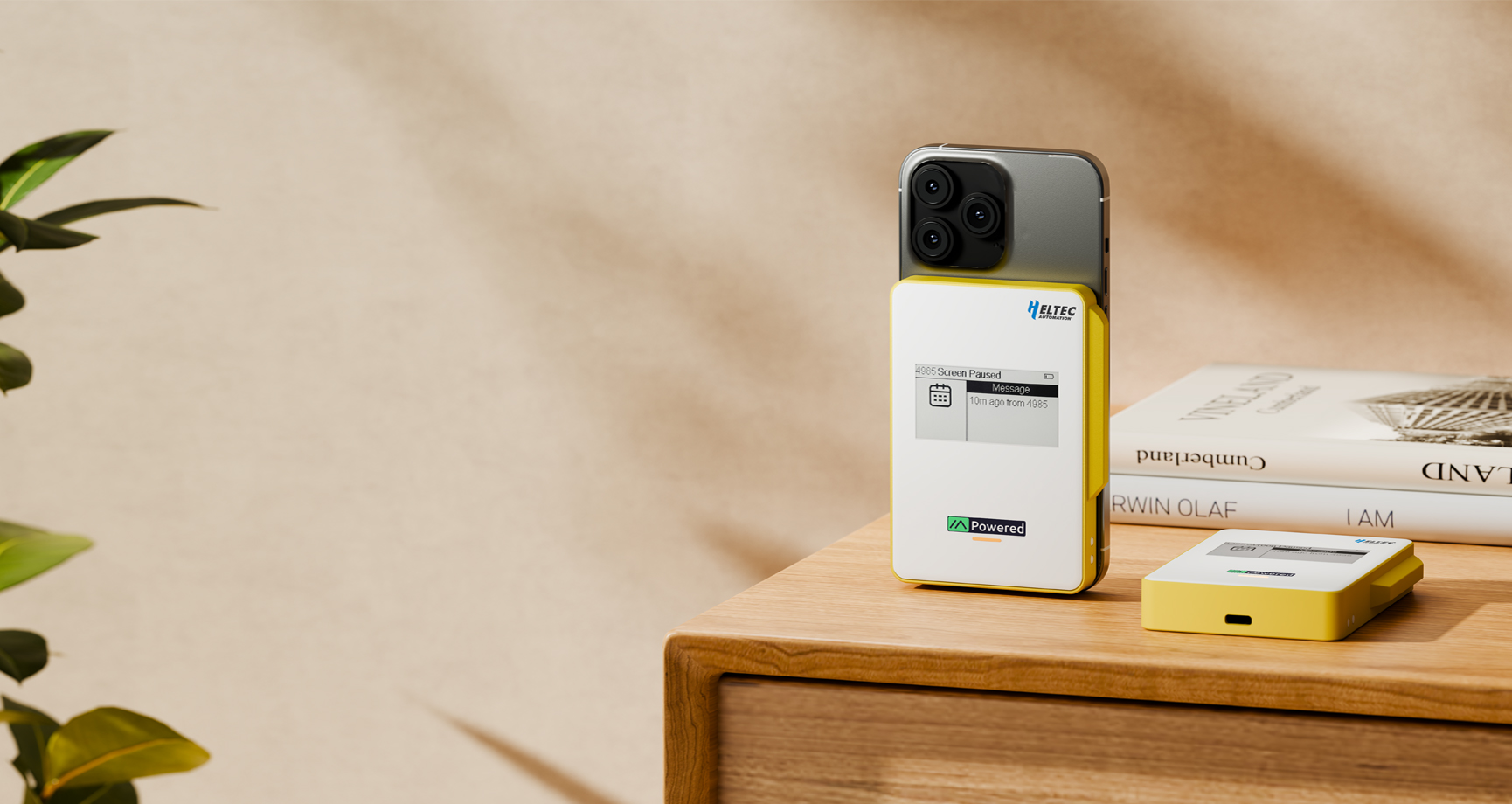
MeshCore-based multi-function firmware for field teams, combining location sharing, target navigation, track recording and distance alerts in one interface.
Network status
Field mesh online
Active stack
BLE + LoRa · GNSS enabled
- local device link
- BLE
- long-range mesh
- LoRa
- live positioning
- GNSS
- motion sensing
- 9-axis
System in motion
MeshCore-Based Multi-Function Firmware
Heltec F&T is multi-function firmware built on MeshCore. It retains BLE and LoRa mesh communication while adding a clear interface for sharing locations, navigating to members or destinations, recording routes and monitoring safe distances.
Core system
System Architecture
BLE and LoRa provide MeshCore communication. GNSS supplies positioning, the 9-axis IMU enables real-time direction pointing, and the display presents navigation and status information.
MODULE / 01
GNSS
Provides the position data used for location sharing, target navigation and track recording.
MODULE / 02
9-axis IMU
Calculates device orientation so the interface can point toward a selected target in real time.
MODULE / 03
Display
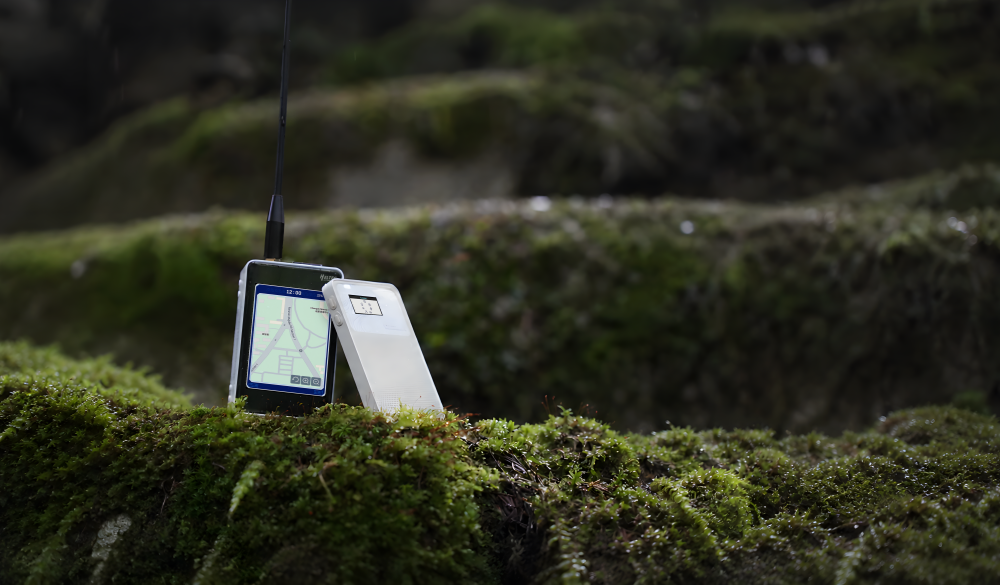
Presents member information, directions, maps and alerts in a readable field interface.
Operational model
One Network. Two Operating Roles.
Member and Leader modes use the same mesh network but expose different capabilities according to the device hardware and the user's role in the team.
Member Mode
Location Sharing
Target Navigation
Track Recording
Distance Alerts
Leader Mode
Every Member Capability
+ Leader Node Scanning
+ Offline Map Display
Role 01 / Field node
Member
With all peripherals present, Member mode supports location sharing, target navigation, track recording and distance alerts. A device with GNSS but no 9-axis IMU can still be selected as a target, but it cannot point toward another target in real time.
- Location Sharing01
- Target Navigation02
- Track Recording03
- Distance Alerts04
Role 02 / Command view
Leader
Leader mode is currently available only on the WiFi LoRa 32 Expansion Kit V2 with a touchscreen, which provides the large display required for map-based team management. In addition to all Member capabilities, it supports offline maps and real-time member distribution for situational awareness and team coordination.
- Every Member Capability01
- Leader Node Scanning02
- Offline Map Display03
- Team Distribution View04
Function layer
Field Functions, Designed Around Movement.
A layered, state-driven interface keeps location sharing, navigation, route history and safety monitoring readable and quick to access.
Function / 01
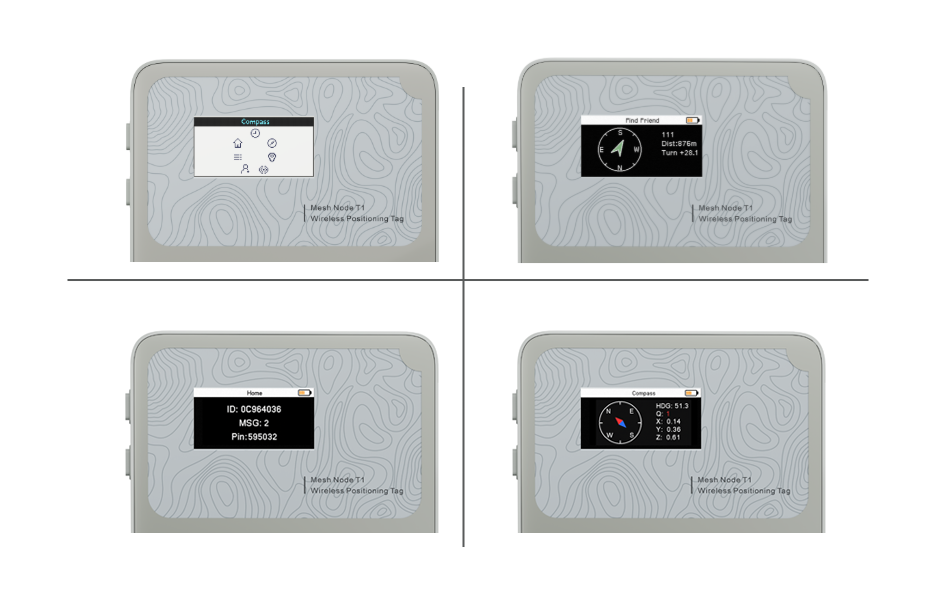
UI & System Overview
The modular interface brings location sharing, target guidance, track recording, distance alerts and offline member distribution into one system, with fast switching between operating states.
Function / 02
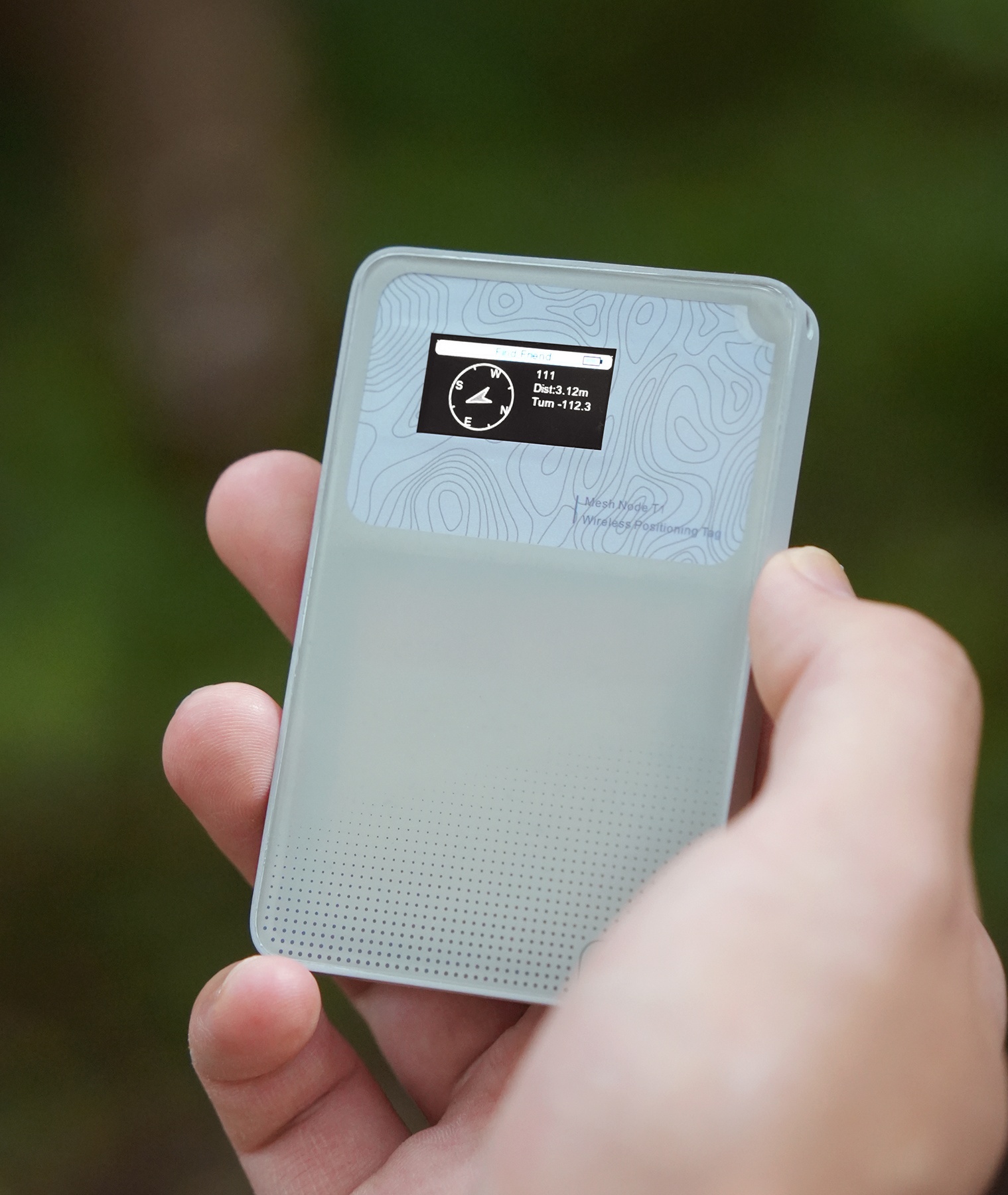
Target Navigation
Select a member or destination and navigate toward it using GNSS position data and real-time direction guidance from the 9-axis IMU.
Function / 03
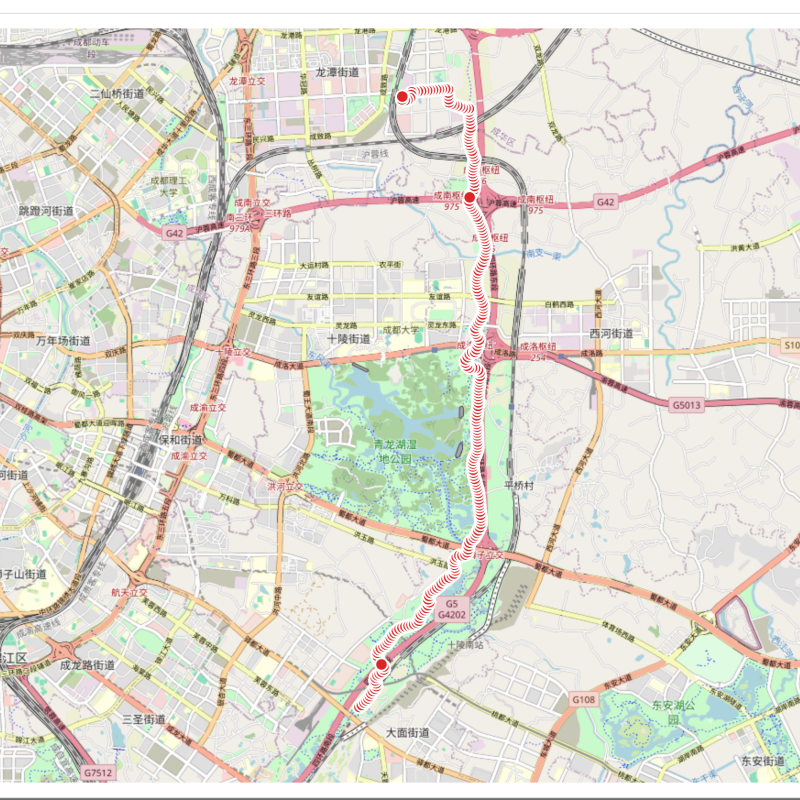
Track Recording
Periodic location samples record each member's movement path for historical playback, route reconstruction and later analysis. The stored data can be accessed through DevRemote over USB.
Function / 04
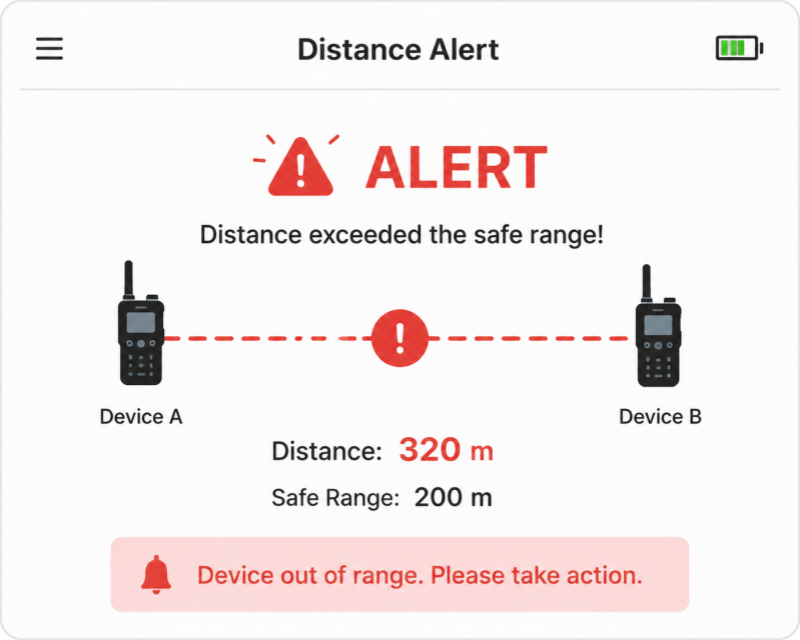
Distance Alerting
Real-time location updates continuously calculate the distance between members and trigger a warning when someone moves beyond the configured safe-distance threshold.
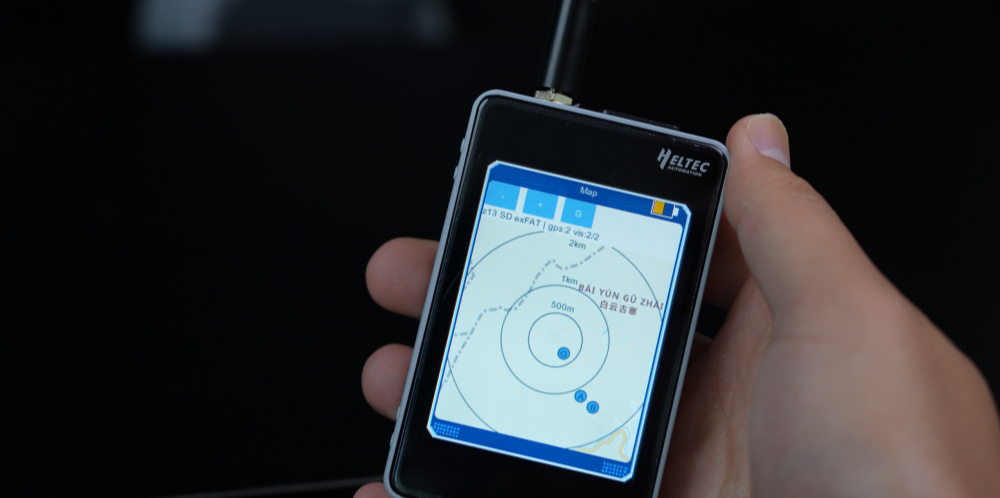
Function / 05 · Leader mode
Offline Map & Member Distribution
On a large-screen Leader device, the offline map displays member positions in real time, giving the team leader an overall view for coordination even when online map services are unavailable.
Firmware deployment
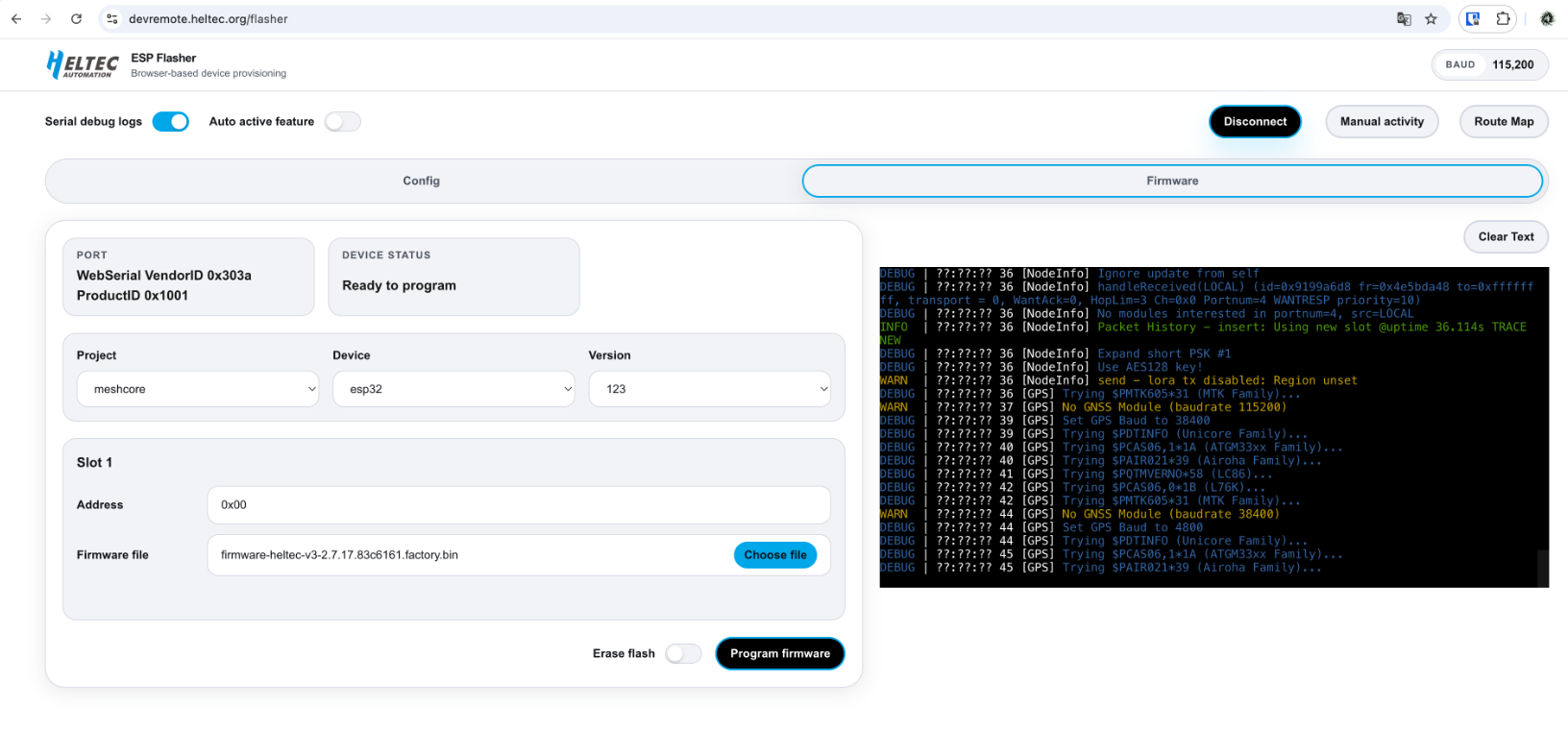
Deploy F&T Firmware with DevRemote.
DevRemote supports one-click F&T deployment and provides unified device recognition, flashing and firmware upgrade management for compatible Meshtastic and MeshCore devices.
- 01Connect the device to a computer by USB.
- 02Open DevRemote and select the compatible device.
- 03Choose the F&T firmware and start deployment.
Continue exploring