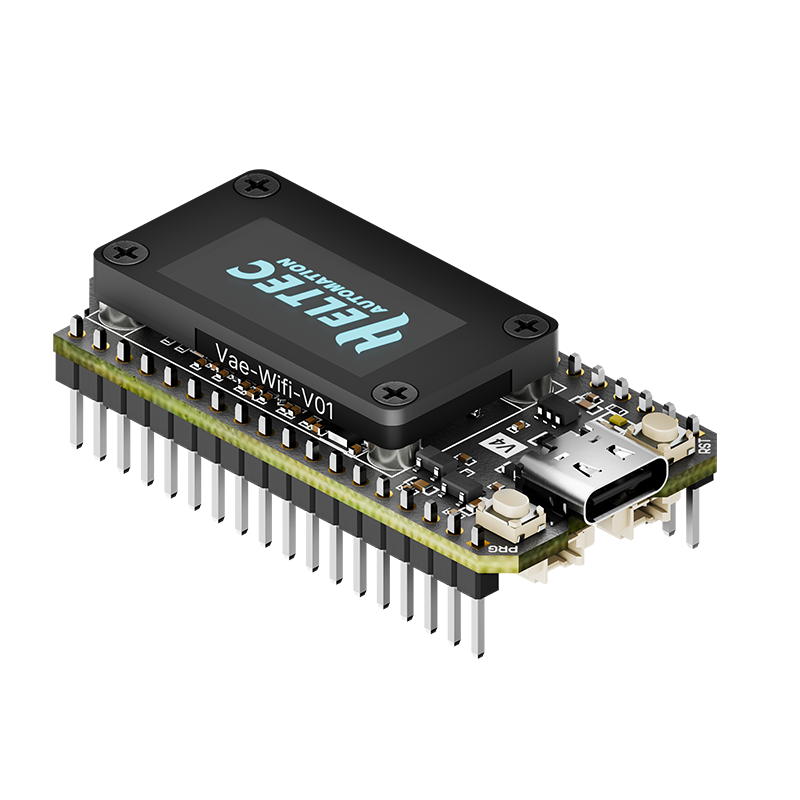
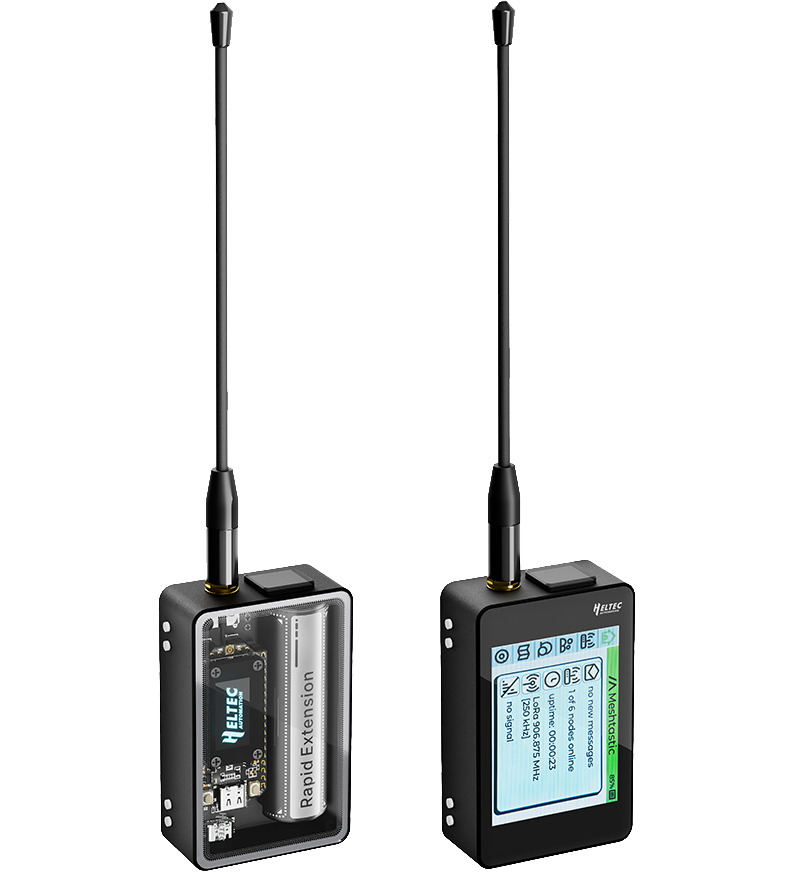

| Parameters | WiFi LoRa 32 V4 | WiFi LoRa 32 V4-R8 |
|---|---|---|
| MCU | ESP32-S3R2 | ESP32-S3R8 |
| PSRAM | 2MB | 8MB |
| Merits | Extra free pins | Ideal for heavy-load tasks |
| Meshtastic | Name: firmware-heltec-v4-xxxx, version higher than 2.7.20 |
Name: firmware-heltec-v4-r8-xxxx, version higher than 2.7.25, Temporary Download, |
| MeshCore | Version higher than 1.15 | Awaiting Merge | Temporary Download |
Please ensure your board enters Bootloader mode before flashing. Here’s how:
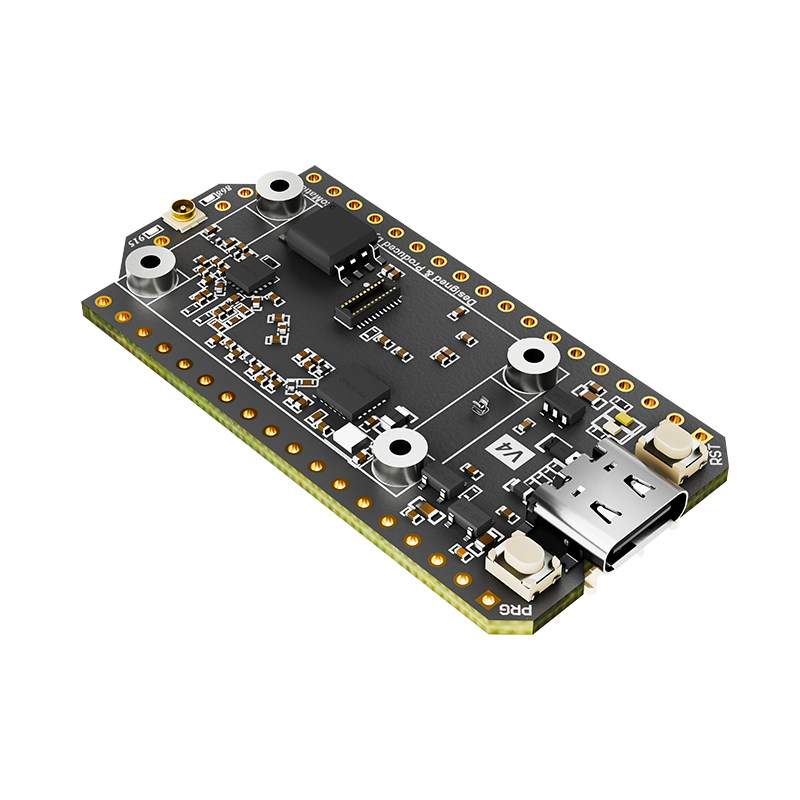
Connect the USB-C cable, then hold down the PRG button, press the RST button once, and release the PRG button. After that, flash the firmware. Once the flashing is complete, remember to restart the device.
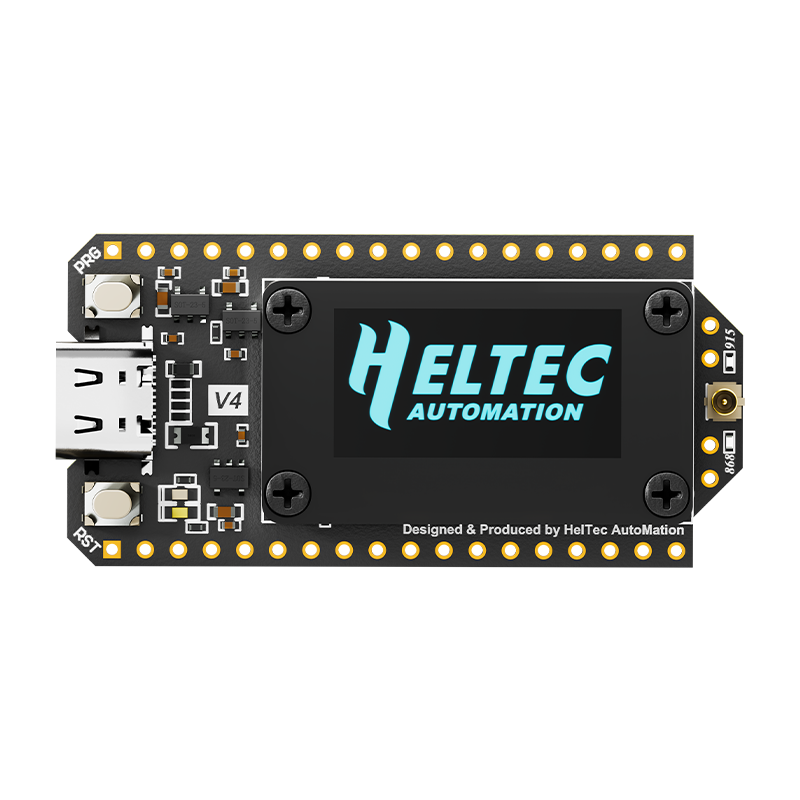
The WiFi LoRa 32 V4, the next gen to the Heltec V3, is a powerful, high-efficiency IoT maker board featuring an ESP32S3 MCU and SX1262 LoRa Node chip; retaining the V3’s size and identical pinout, it integrates performance upgrades including a built-in Wi-Fi/Bluetooth antenna, 28±1dBm LoRa output power, and a protected OLED display; its superior RF and stable system design ensure it’s ready-to-use and highly beginner-friendly, supporting development via Arduino, PlatformIO, ESP-IDF, and MicroPython; making it ideal for long-range wireless open-source projects like Meshtastic, LoRaWAN, and Meshcore in applications such as smart cities and industrial control, with custom hardware available on the Heltec MQB platform.
| Parameters | Description |
|---|---|
| MCU | ESP32-S3R2 / ESP32-S3R8 |
| LoRa Chip | SX1262 |
| Frequency | High-power version: 863-928MHz Low-power version: 433-510MHz |
| Wi-Fi | 802.11 b/g/n, up to 150Mbps |
| Bluetooth | Bluetooth (LE), Bluetooth 5, Bluetooth Mesh |
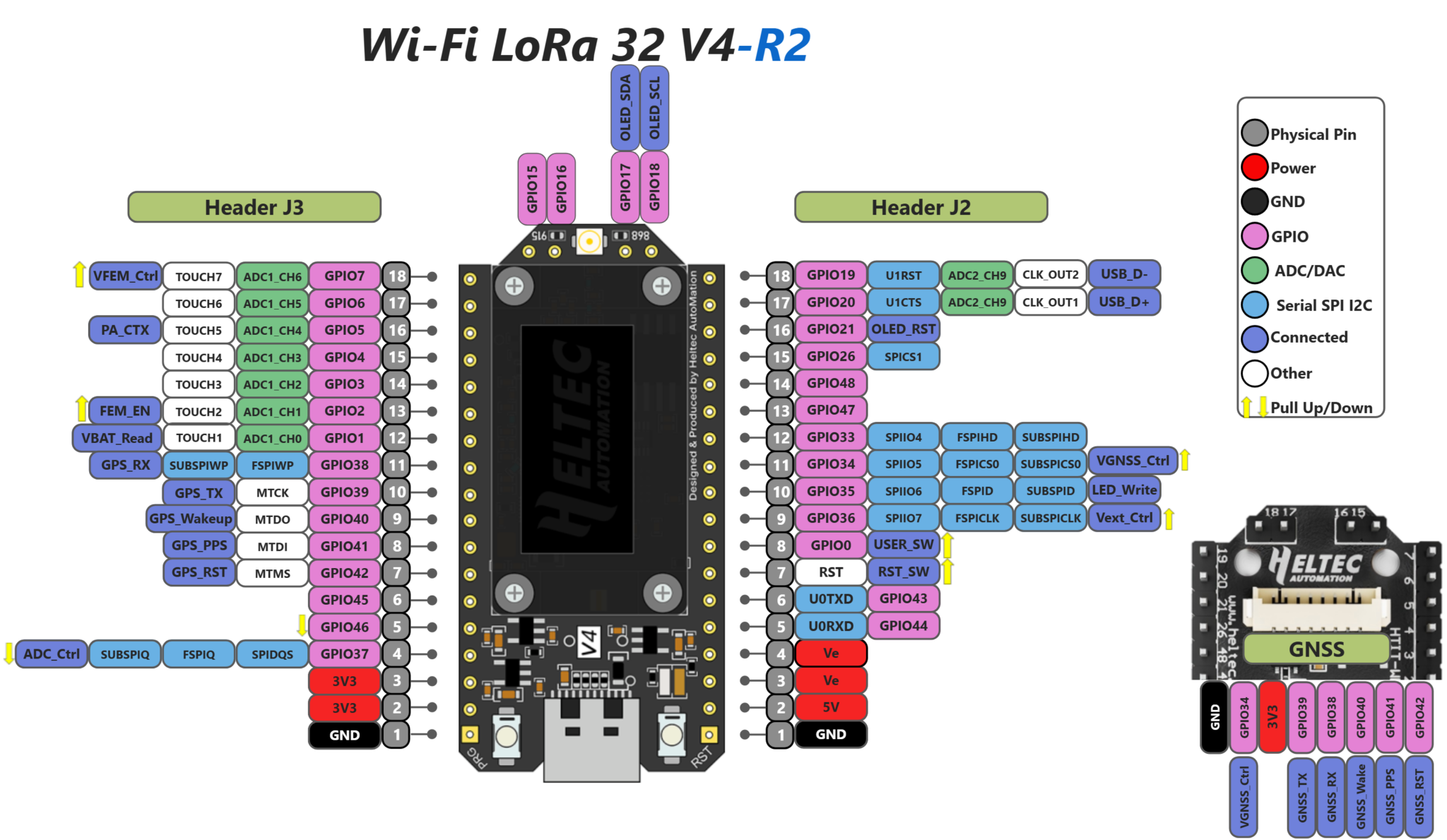
| Hardware Resource | 7*ADC1 + 2*ADC2; 7*Touch; 3*UART; 2*I2C; 2*SPI; etc. |
| Memory | 384KB ROM; 512KB SRAM; 16KB RTC SRAM; 2 / 8MB PSRAM; 16MB Flash |
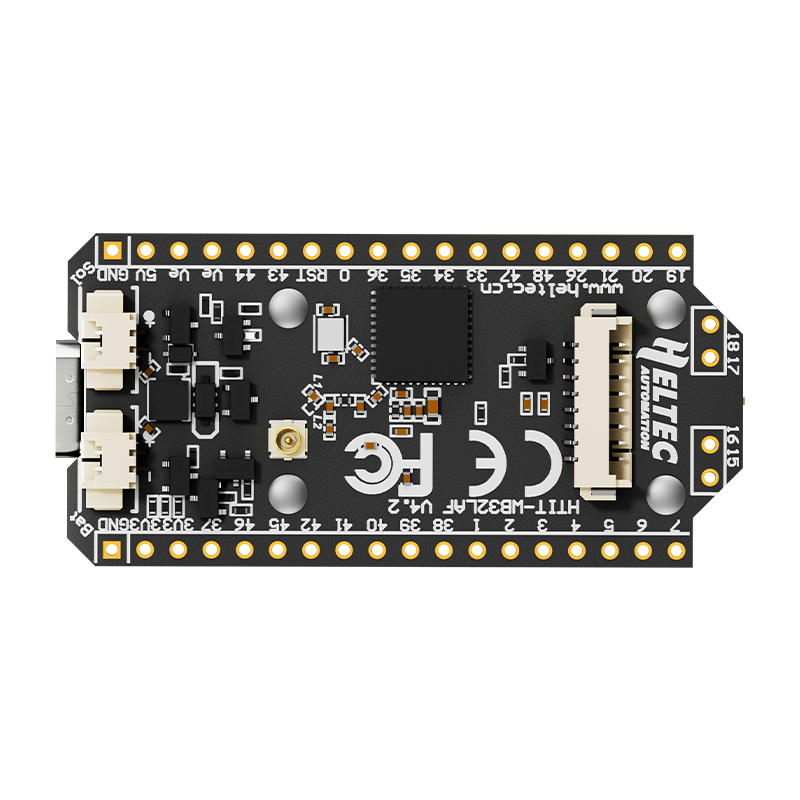
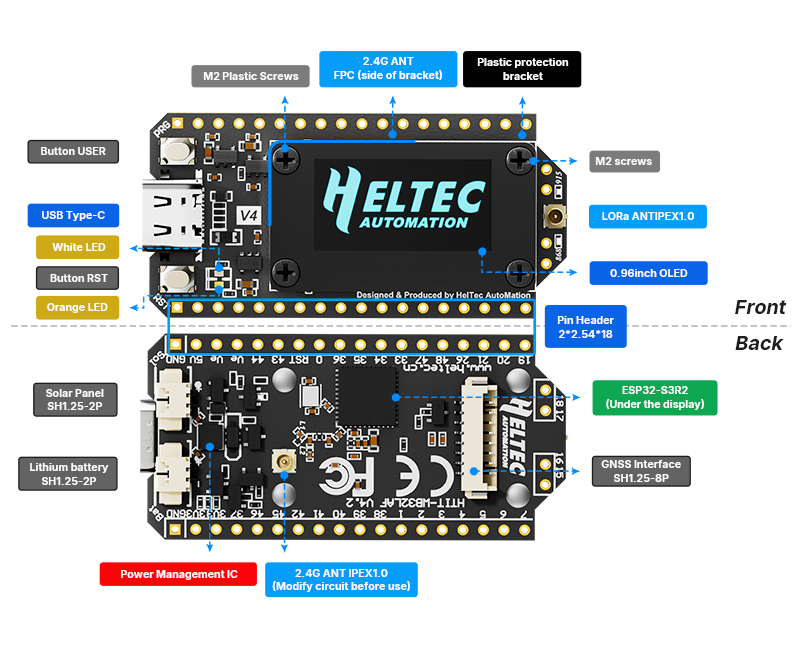
| Interface | Type-C USB; 1.25*2 Pin lithium battery interface; 1.25*2 Pin Solar interface; 1.25*8 Pin interface; LoRa ANT(IPEX1.0); 2.4G ANT(IPEX1.0) |
| Battery applicable | 3.3-4.4V lithium battery |
| Operating Temperature | -20 ~ 70 ℃ |
| Dimensions | 51.7 * 25.4* 10.7mm |
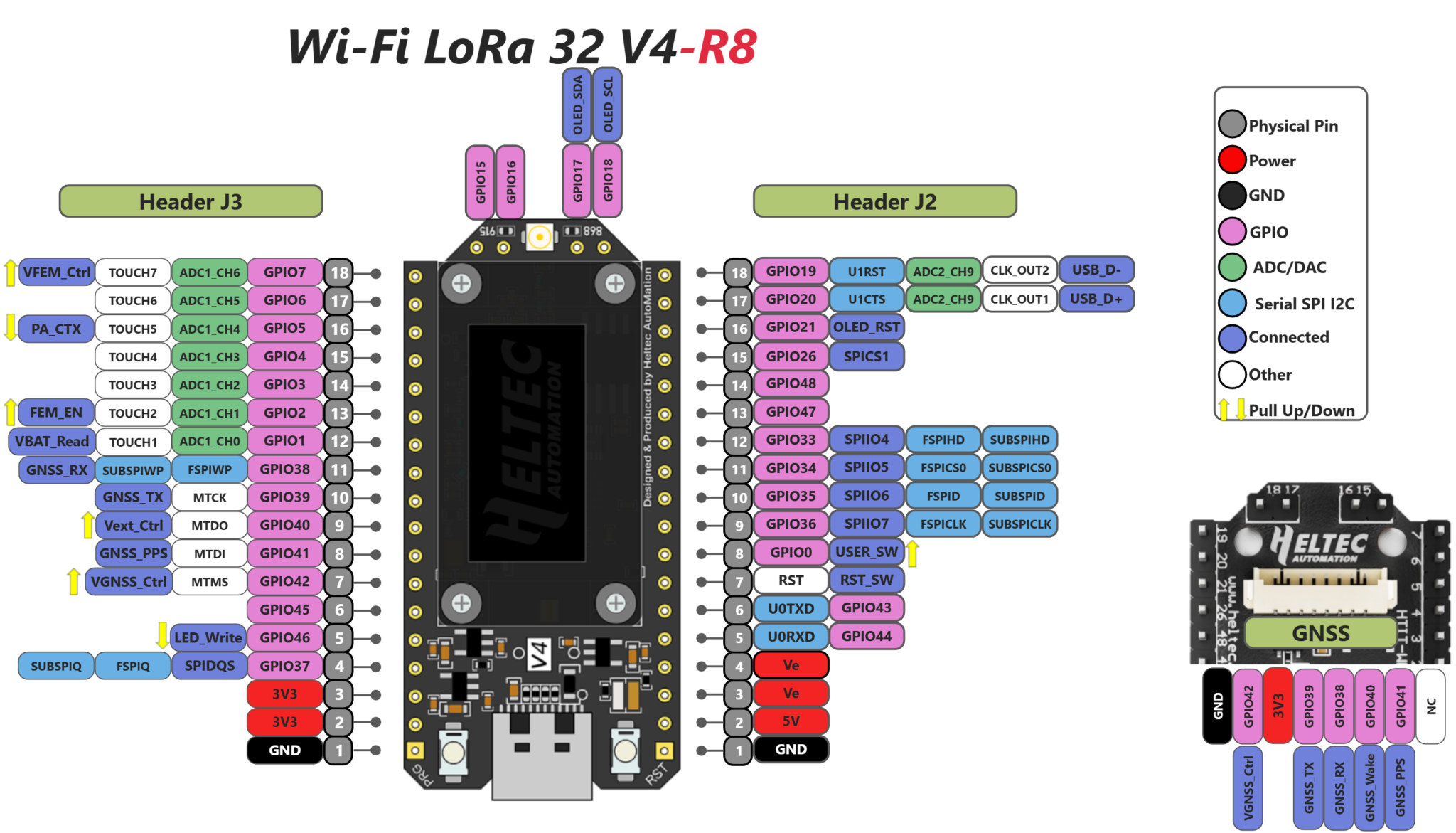
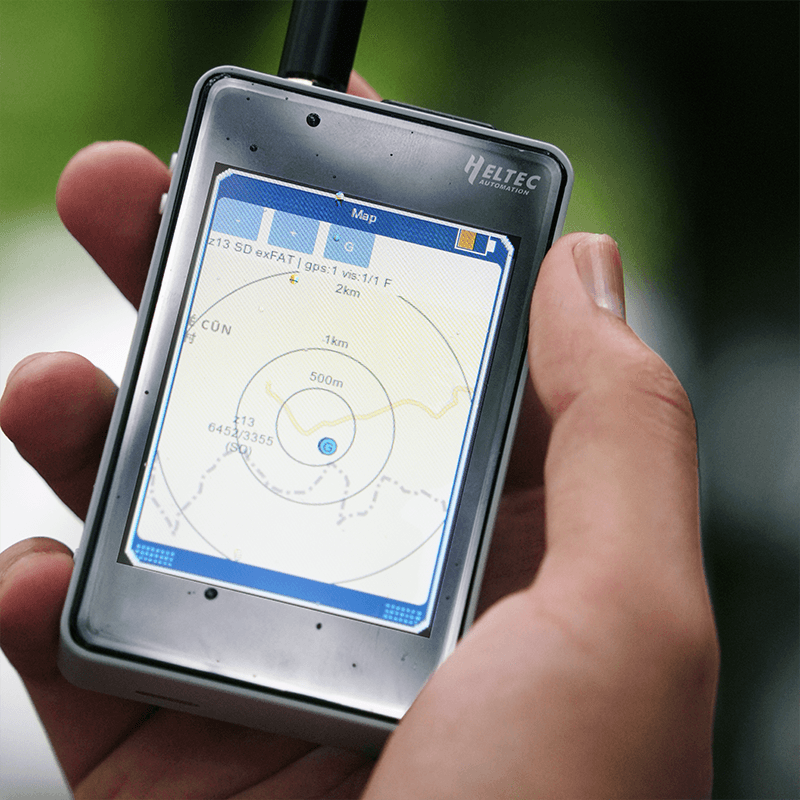
The ESP32-S3R2 offers 2MB of PSRAM and is equipped with an external 16MB Flash, making the upgraded memory configuration more suitable for UI and complex system design.
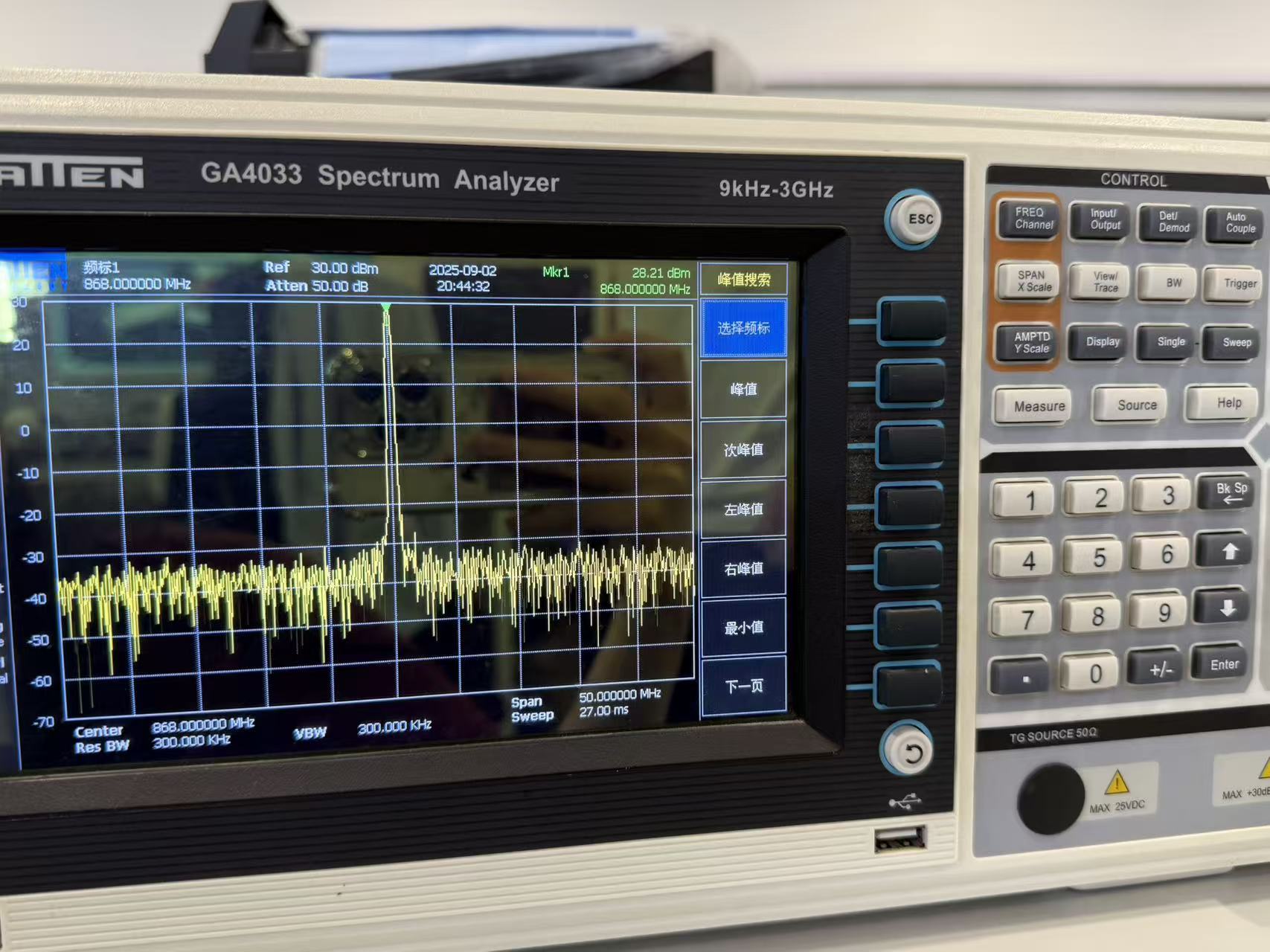
The device is available in high-power and low-power versions. The high-power version offers a transmit power of up to 28±1dBm, enabling longer communication distances and adaptability to a wider range of application scenarios..
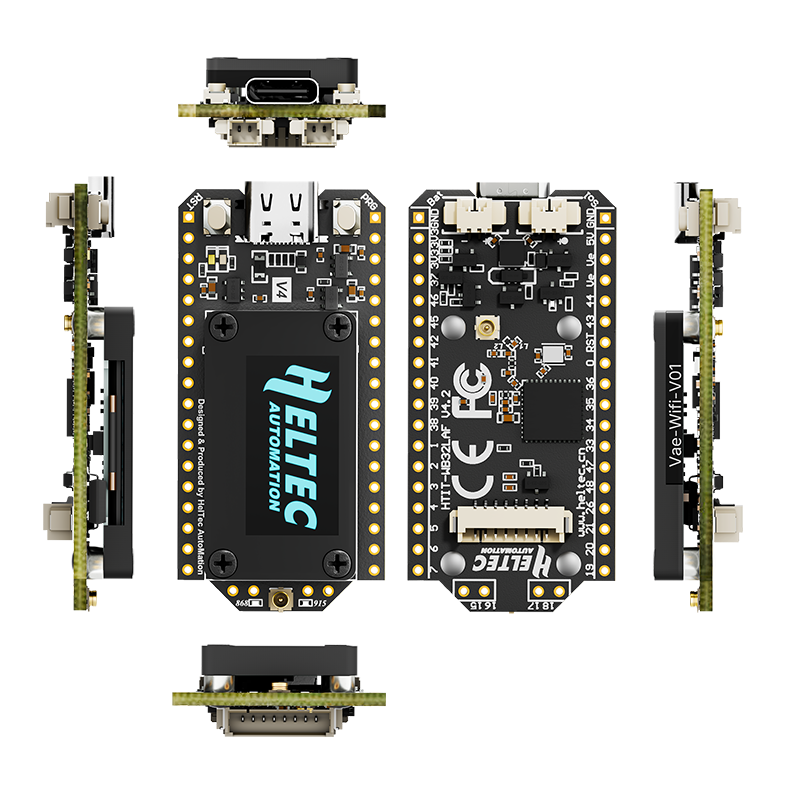
Added 1.25*2P solar panel interface, supports 4.7~6V solar input.
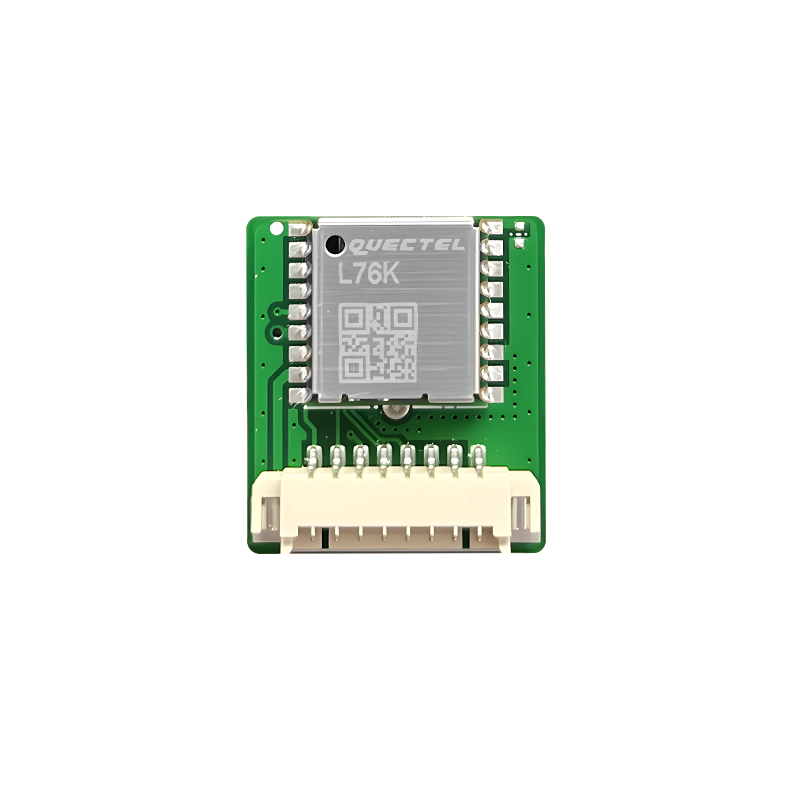
Added 1.25*8P GNSS interface, GNSS power can be individually controlled.
1.25*2P lithium battery interface
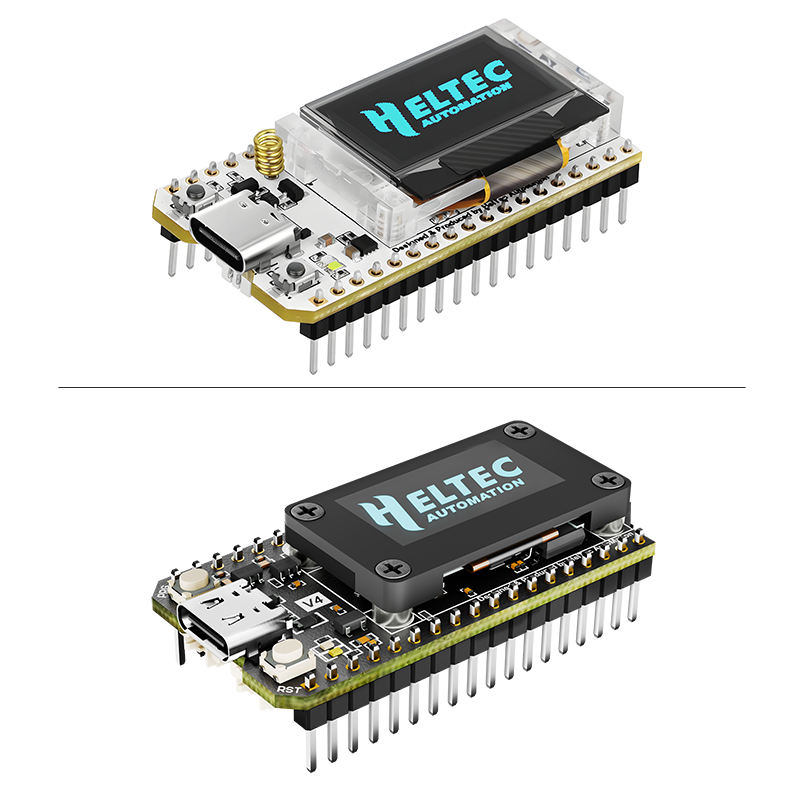
Almost entirely retains the form factor and pin layout of V3, while adding additional pins. The pin plating process has been upgraded from silver plating to gold plating.
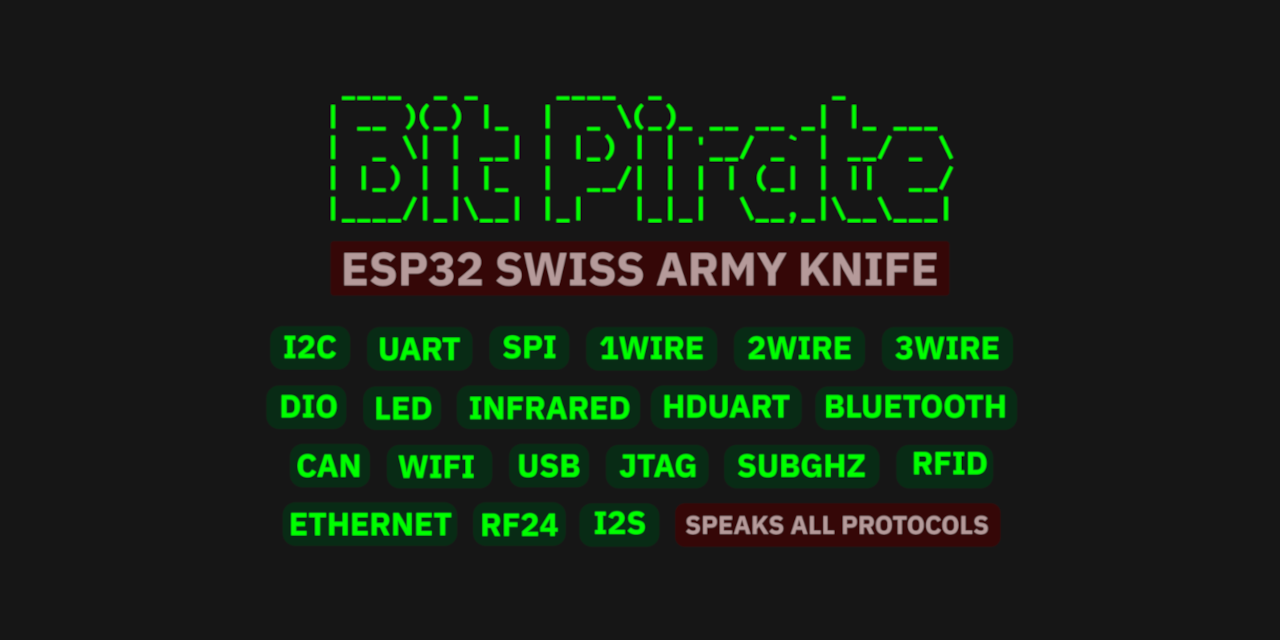
An ESP32-S3 development board is usually the device being developed. ESP32 Bit Pirate flips that idea around: flash it once, and the board itself becomes part of your electronics workbench.
The open-source firmware provides a common command-line interface for interacting with I2C, SPI, UART, GPIO and many other wired and wireless protocols. Around that firmware is a set of browser tools for flashing, serial access, logic capture, memory programming and Python automation.
[Click to Learn]
Enter BootLoader mode: Connect the USB-C cable, hold down the PRG button, press the RST button once, then release the PRG button.
Austria, Belgium, Bulgaria, Croatia, Czech Republic, Denmark, Estonia, Finland, France, Germany, Hungary, Ireland, Italy, Latvia, Lithuania, Luxembourg, Malta, Netherlands, Norway, Poland, Portugal, Romania, Slovakia, Slovenia, Spain, Sweden, Switzerland, United Kingdom
South:
Alabama, Arkansas, Delaware, Florida, Georgia, Kentucky, Louisiana, Maryland, Mississippi, North Carolina, Oklahoma, South Carolina, Tennessee, Texas, Virginia, West Virginia
Midwest:
Illinois, Indiana, Iowa, Kansas, Michigan, Minnesota, Missouri, Nebraska, North Dakota, Ohio, Pennsylvania, South Dakota, Wisconsin
West:
Arizona, California, Colorado, Idaho, Montana, Nevada, New Mexico, Oregon, Utah, Washington, Wyoming
Northeast:
Connecticut, District of Columbia, Maine, Massachusetts, New Hampshire, New Jersey, New York, Rhode Island, Vermont
Not Supported:
Alaska, Hawaii, Puerto Rico
The default 2.4G FPC antenna is located on the side of the plastic screen bracket.
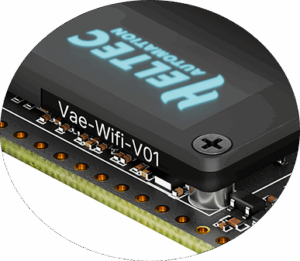
Hardware 4.2
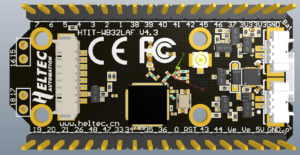
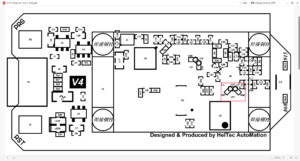
If you wish to use an IPEX-connected 2.4G antenna, you need to remove the inductor marked as ① in the diagram below, and add a 0-ohm resistor (or other conductive metal or cable) at the position marked ② to connect to the IPEX interface.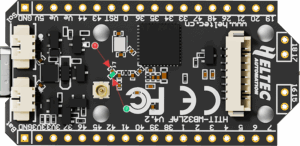
Hardware 4.3
As shown in the figure below, Mark 2 indicates the default connection to the FPC antenna, while Mark 1 indicates the connection to the IPEX interface.
Why is it designed this way?
By default, it is connected to the onboard FPC, and its circuit has been tested to achieve optimal performance. When you switch the resistor to IPEX, the IPEX connector will achieve optimal performance.
If both the IPEX interface and the FPC contacts are connected at the same time, the communication performance on both sides will be degraded.
This is a 0-ohm resistor. If you don’t have high requirements for the 2.4G signal, you can directly use a soldering iron to short-circuit both directions at once, making both sides work simultaneously.
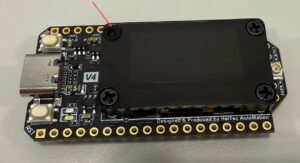
This area is attached with a 2.4G FPC antenna,and to avoid affecting its performance, customized plastic screws are used here.
That’s why they look different from ordinary screws.
When you need to remove it, gently press and turn with a screwdriver.
We strongly recommend using Arduino. We have complete technical support and provide complete LoRaWAN code for ESP32 Arduino framework.
You can find this type of socket by search “SH1.25 x 2”.
Of course, you can contact our sales staff and provide your ideas.
They are compatible in most scenarios.
Since V4 uses the same series of chips as V3, features the same OLED, and has an almost identical pin layout, V3 and V4 can be used interchangeably in the majority of cases.
However, due to the increased transmit power, the transmit power settings in some code may no longer correspond directly to the actual output.
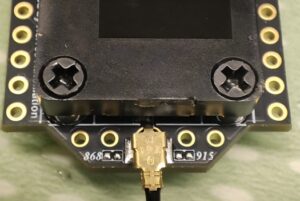
It indicates simultaneous support for both 868 MHz and 915 MHz frequency bands.
In the initial design, we developed two separate hardware versions to achieve optimal RF performance. However, through subsequent debugging, we have successfully unified the hardware for both 868 MHz and 915 MHz while maintaining excellent RF characteristics.
It does not indicate device damage. Please disregard this phenomenon. The LORA ERROR occurs because it is running the factory default LORA testing program and cannot find another device running the same program.
Hardware version 4.3 requires new firmware.
Note: The following content only applies to hardware V4.3 and above
Please note: “Meshtastic UI” is for use with the touchscreen. For ordinary OLED screens, please do not select it.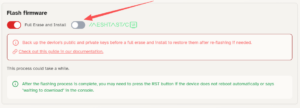
Remove R32, mount 0Ω resistors on R37 and R38, then solder the SAW filter on U10.
ESP32-S3R2
ESP32-S3R8
General
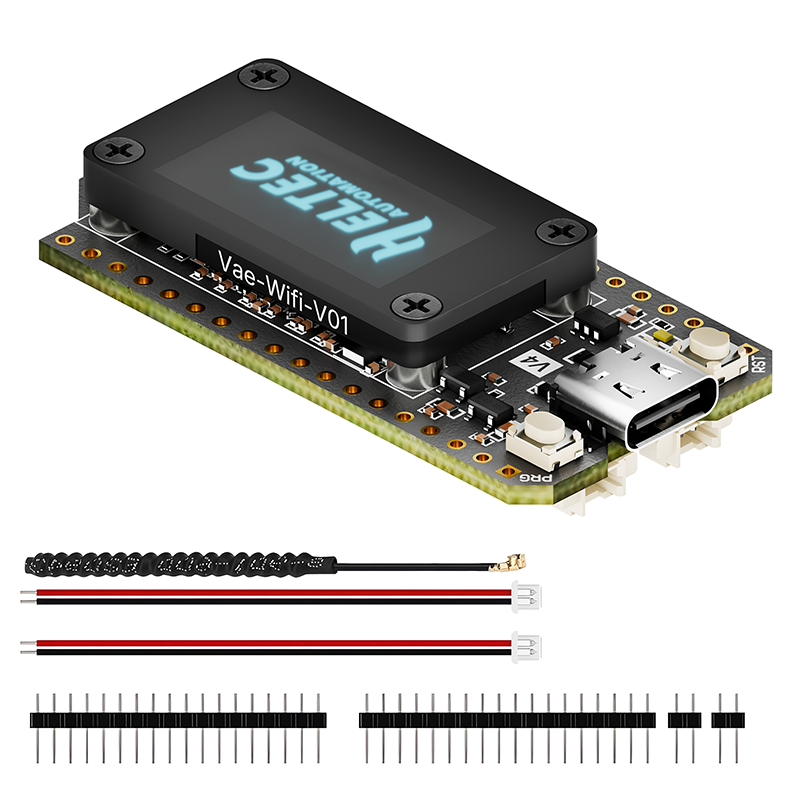
The default packing list without selecting any accessories is as follows:
| Item | Quantity |
|---|---|
| WiFi LoRa 32 (V4) | x1 |
| LoRa Antenna | x1 |
| 1.25×2 Connector (for battery&solar) | x2 |
| 2.54*18 Header Pin | x2 |
| Weight | 35 g |
|---|---|
| Dimensions | 6.6 × 6.6 × 2 cm |
| MCU | ESP32-S3R2, ESP32-S3R8 |
| LoRa Band | 863~870MHz, 902~928MHz |
| Display | OLED, No Display |
| Warehouse | CN (China) Warehouse, DE (Germany) Warehouse, US (United States) Warehouse |
You must be logged in to post a review.
$17.90 – $27.50Price range: $17.90 through $27.50
FarmerMaker (verified owner) –
I now own seven Heltec V4’s, and they are working so well. They are on ≈868Mhz as per my region, (note to previous review, V4’s are simultaneous 915 and 868Mhz, so no problem). I am in agriculture, and these transmit environmental, and soil moisture telemetry via meshtastic, so far working really well. My region also allows 433Mhz, so Heltec, don’t you want to make me a few 433 V4’s to test 🙂 Also, I bought the “SMA whip 868/915 antenna” and it has extended the range significantly. Next I will be hiking in the mountains very far from service, and want to test out three Wifi LoRa 32 Expansion kit V2, could you please send me three units (no battery) to test out 🙂
Dave Jones (verified owner) –
General Overview:
-The WiFi LoRa 32 (V4) delivers transmit power up to 28 ± 1 dBm.
-According to Heltec’s published testing, the V4 offers improved receiver sensitivity compared to earlier models.
-Includes expanded memory, featuring 2 MB PSRAM and 16 MB external Flash.
-Supports Wi-Fi (802.11 b/g/n), Bluetooth LE / BT5 / Mesh, and LoRa connectivity.
-Offers a solar input port.
-Features a plug-and-play GNSS (GPS) interface on the underside of the board.
-Meshtastic firmware v2.7.13 provides full compatibility, and VNA testing has confirmed the board achieves its advertised transmit power using this firmware or greater.
When I purchased the WiFi LoRa 32 (V4) it was my first Heltec device after previously using LilyGO hardware. I was pleasantly surprised by the overall build quality. It’s clear that Heltec put some thought into the design, especially its compatibility with their optional WiFi LoRa 32 Expansion Kit.
I currently own two V4 units: one serves as a home base station connected to a rooftop antenna, and the second will likely become a portable node I carry with me. I’m also possibly considering using one in a solar-powered weather station project next summer. I would have to say this is a must have for beginners. Well there is always room from improvement like using a next generation radio, it checks most of the boxes meshtastic users currently require.
My experience buying directly from Heltec wasn’t perfect there were shipping delays during the initial launch week but customer service was responsive and the devices did arrive. For anyone ordering during high-demand periods like a devices day one launch, I’d keep in mind you should expect delays, or use third-party resellers like AliExpress or Amazon for potentially faster delivery.
Common User-Reported Issues:
-Some users would have preferred Heltec reversed the Battery and Solar connectors for better case compatibility; however this is a personal preference and as it stands does not affect device functionality.
-Due to GPIO layout changes relative to the previous WiFi LoRa 32 (V3), not all third-party accessories are backward compatible.
-Many V3 enclosures are not compatible with the V4 because of dimensional changes particularly because of the addition added OLED faceplate.
Info –
The correct email address is [email protected]
Tom Milledge (verified owner) –
I live in the U.S. I ordered 4 of the 902~928MHz band V4s and received 4 863-870MHz band V4s. I’ve sent two emails to [email protected] and still no response.